








 0
0
 0
0
Looking for a solid random video chat app that actually works on your Android phone? I’ve spent weeks testing the most popular options out there—swiping, matching, and actually talking to strangers—so you don’t have to deal with dead batteries, bad connections, or sketchy users ruining your vibe.
Here’s what I found after putting every app through its paces.
What Makes a Great Android Video Chat App
Before diving into the list, let’s talk about what actually matters when you’re choosing a random chat app for your phone.
Matching speed matters more than you think. If you’re waiting more than 15 seconds to connect with someone, the experience feels broken. The best apps I’ve tested keep you engaged with near-instant pairing.
Video quality on mobile is different from desktop. You need apps that adapt to your connection speed without dropping frames constantly. Some apps handle this better than others, especially on spotty WiFi or mobile data.
Privacy controls are non-negotiable. You’re literally showing your face to strangers. The apps worth using give you control over who can see your profile, what information is shared, and how to block users instantly.
Battery optimization sounds boring until you’re thirty minutes into a great conversation and your phone dies. Some apps are surprisingly heavy on battery drain, which kills the mobile experience.
Safety features separate the good apps from the sketchy ones. Active moderation, reporting tools, and proper age verification make a massive difference in who you actually meet on these platforms.
Top Android Apps for Random Video Chat
After testing over a dozen apps, these are the ones that actually delivered.
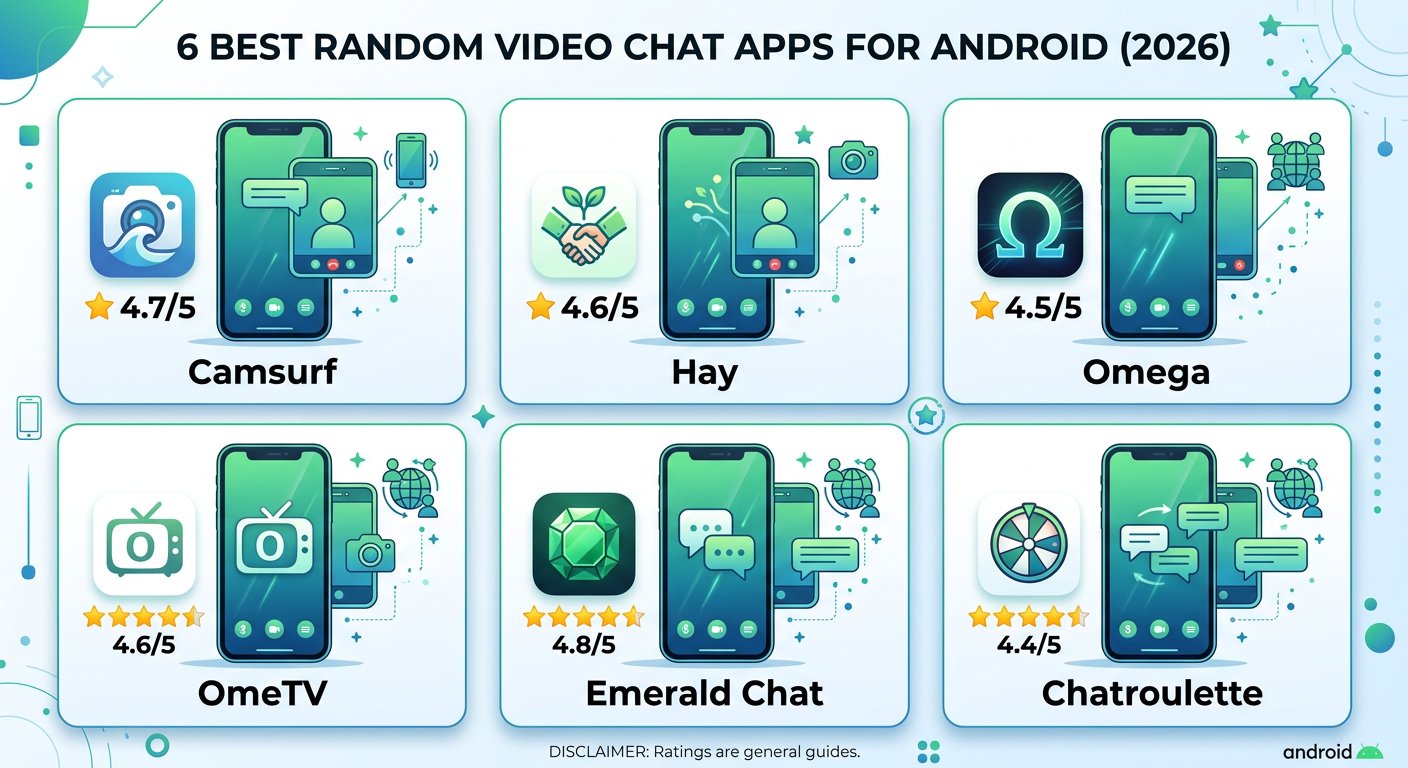
#1 Camsurf — Best Overall
If you want one app that does everything well without making you jump through hoops, Camsurf is your pick. No registration required, clean interface, and decent moderation keep the experience solid.
The language filter alone makes it worth downloading—you can set your preferred languages and get matched with people you can actually talk to. That sounds basic, but most apps make you fumble through translation apps mid-conversation.
Camsurf has active human moderators working around the clock, which means fewer creeps ruining your sessions. When someone does act up, reporting them takes two taps.
Video quality held up well even on weaker connections, and the interface is intuitive enough that you won’t spend five minutes figuring out where the “next” button is.
What we liked:
- No sign-up required
- Language and region filters
- Active human moderation
- Works on weaker connections
What could be better:
- User base skews toward certain regions
- Occasional matching delays during off-peak hours
#2 OmeTV — Fastest Matching
OmeTV is basically the speed demon of random video chat. If you’re the type who gets bored waiting and wants to power through conversations quickly, this app keeps you moving.
Over 50 million downloads on Google Play tells you something—this platform has a massive user pool. More users means better odds of finding someone worth talking to, especially if you’re looking for specific demographics or regions.
The swipe-to-find feature feels modern and works smoothly. You can filter by gender and region before connecting, which cuts down on the time wasted hitting “next” on people who aren’t your type.
Privacy-wise, OmeTV lets you go anonymous without creating an account. Your video feed is shared, but personal details stay under wraps unless you choose to reveal them.
Real-time translation support helps if you’re chatting internationally, though the translation quality varies depending on language pairs.
What we liked:
- Huge user pool
- Fast matching algorithm
- Gender and region filters
- Anonymous by default
What could be better:
- Ads can interrupt sessions
- Moderation isn’t as tight as competitors
#3 Hay — Best Safety Features
Formerly known as Holla, Hay has evolved into one of the more safety-conscious options on this list. Over 10 million downloads and a global user base from 100+ countries make it a solid choice if meeting international people is your thing.
The face reveal system is clever—you match with someone, both screens show blur, and you only reveal your face when you’re ready. That little buffer gives you agency over when you show your face to a stranger.
Real-time translation removes language barriers so you can chat with people from Brazil, Japan, or Germany without downloading a separate translation app. The interface is straightforward, and the community guidelines are enforced reasonably well.
Hay lets you set preferences before matching—gender, region, interests—so you’re not just throwing darts at a board.
What we liked:
- Face reveal protection system
- Real-time translation in 40+ languages
- User preferences filtering
- Multi-chat modes (video, voice, text)
What could be better:
- Some premium features require payment
- Occasional bot presence
#4 Omega — Lightest on Battery
Omega stands out for one reason that doesn’t get discussed enough: battery efficiency. If you’ve tried other random chat apps and watched your phone tank in under an hour, Omega might be your salvation.
The interface is polished without being bloated. You get video calls, voice calls, and text chat in one place, plus interaction games that help break the ice when conversations stall.
Gift sending adds a playful element if you’re vibing with someone, though it’s completely optional. The games feature is surprisingly useful—playing something face-to-face with a stranger beats awkward small talk for the first thirty seconds.
The user pool is global and active, so you’re unlikely to hit empty servers no matter what time you log on.
What we liked:
- Excellent battery optimization
- Built-in interaction games
- Gift system for expressing interest
- Multi-format chat (video, voice, text)
What could be better:
- Gift system can feel pay-to-win
- Interface takes getting used to
Android-Specific Privacy Tips
Before you start swiping on random chat apps, spend five minutes setting up your phone’s privacy controls. This stuff matters when your face and location are potentially in play.
Camera and microphone permissions — Go to Settings > Privacy > Permission Manager on your Android. Review which apps have access to your camera and microphone. Random chat apps need camera access obviously, but they don’t need “all the time” access. Set permissions to “Only while using the app.”
Review app permissions regularly — Android privacy settings have improved significantly in recent versions, letting you see exactly what each app accesses. Enable “Remove permissions if app is unused” in your Permission Manager. Any app you haven’t opened in three months loses its camera and microphone access automatically.
Use a VPN on public WiFi — Public networks are hunting grounds for data interception. If you’re using random chat apps at a coffee shop or library, route your traffic through a quality VPN first.
Limit profile information — Random chat apps don’t need your real name, birthday, or location. Use a nickname and skip the profile photo that matches your LinkedIn picture.
For more context on how video chat privacy works, check out our breakdown on whether video chat is truly anonymous.
FAQ — Android Video Chat Apps
What’s the safest random video chat app for Android?
As best Android video chat apps analysis shows, Camsurf and Hay both have strong moderation systems. Camsurf uses 24/7 human moderators, while Hay has safety features like face reveal protection. Neither is completely risk-free, but both are significantly safer than apps with minimal oversight.
Do I need to create an account to use these apps?
Most of the apps on this list work without registration. Camsurf, OmeTV, and Omega let you jump straight in with just camera permissions. Hay encourages an account for better features but doesn’t require one to start chatting.
Can these apps access my personal data?
All video chat apps need camera and microphone access. Check what else they’re requesting in your Android permissions settings. Avoid apps asking for contacts, storage, or location access unless there’s a clear reason why.
Which app has the best video quality?
Quality varies based on your internet connection, but OmeTV and Camsurf handled variable connections best in our testing. Omega also performed well without draining battery as aggressively as some competitors.
Is it safe to show my face on random chat apps?
Use your judgment. Start with video off or face-blurred until you feel comfortable. Report anyone who makes you uncomfortable immediately. Emerald Chat and similar platforms have also introduced interest-matching features that can help you find people with similar intentions.
What’s the best app for meeting people from specific countries?
OmeTV has strong European and South American presence. Hay’s translation features make international conversations easier. Camsurf’s language filter helps narrow results before you connect.
If you’re curious about what happened to the original random chat giant, we cover the Omegle shutdown and its aftermath in a separate guide.